Menus
Present clear menu boards and update what is shown without replacing the TV.
 WAHTABOOK
Publish menus, promotions, photos, and videos to screens in your restaurant or store. A standard TV works with a compatible HDMI-connected WAHTABOOK Display player.
Raspberry Pi onboarding has been physically tested, with final public qualification still underway. WAHTABOOK Display readiness is independent of Accounting and Time Clock.
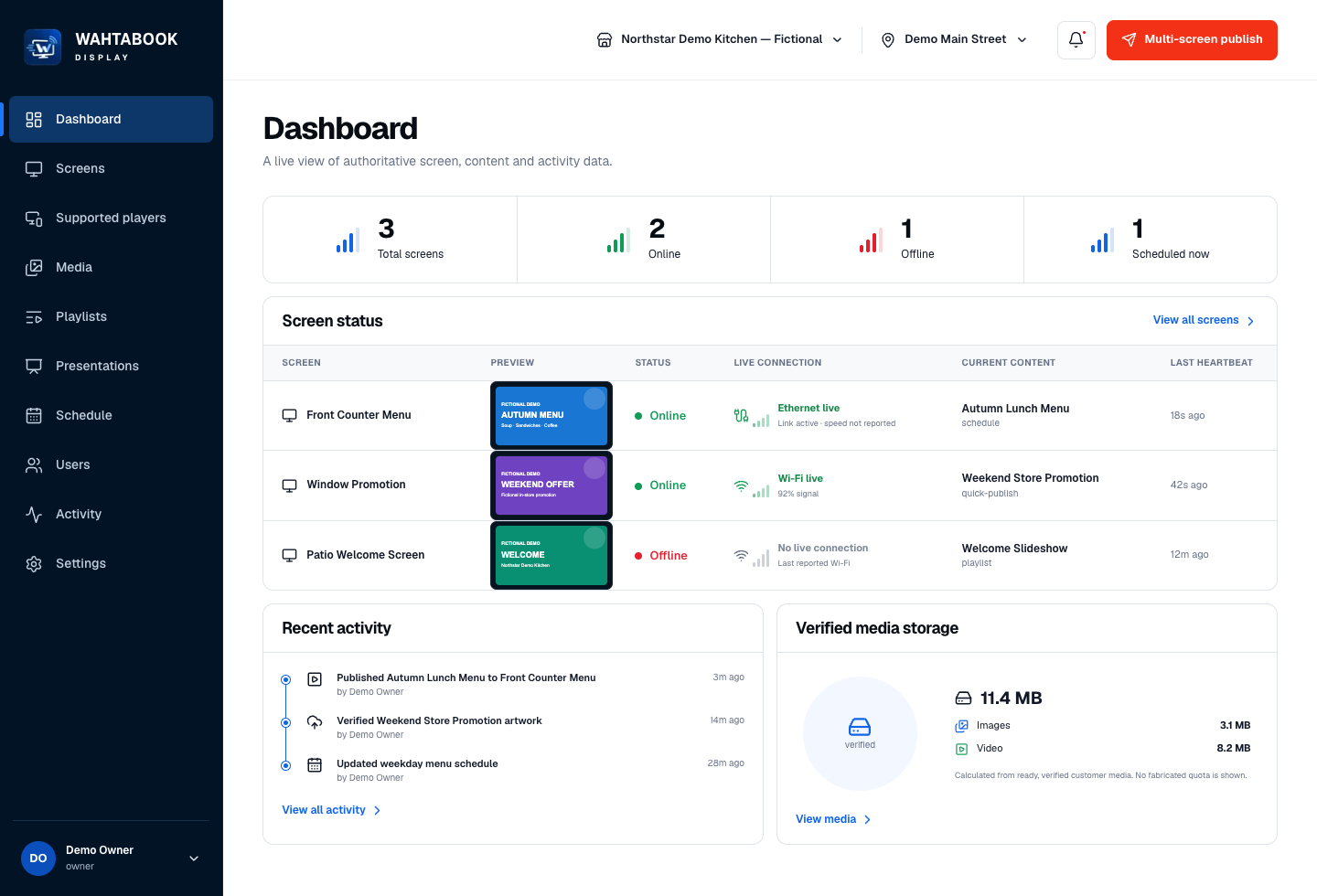
Authentic WAHTABOOK Display dashboard interface shown with fictional demonstration data. No customer account, activation code, device identifier, or Wi-Fi credential is included.
Build a presentation for the content your customers need to see, then publish updates remotely.
Present clear menu boards and update what is shown without replacing the TV.
Rotate seasonal offers, daily specials, and in-store announcements.
Use approved product and brand photography across one or more screens.
Include supported video content in remotely managed presentations.
Canada and the United States have separate fixed monthly prices. They are not calculated from a currency-conversion rate.
CA$10per TV / month
Plus applicable taxes.
US$10per TV / month
Plus applicable taxes.
How screen quantity works: pricing is based on the number of TVs or screens subscribed to WAHTABOOK Display. The live system currently describes these as active licensed screens; the exact public billable-screen definition and quantity-change contract remain subject to final billing verification.
Hardware is separate: the subscription price does not include a TV, compatible HDMI-connected player, HDMI cable, power supply, internet service, or other hardware.
Public subscriptions are not yet available: this preview does not select a billing country or currency from browser location and does not offer checkout, signup, a trial, or a subscription purchase.
The player connects the WAHTABOOK Display service to a standard TV with an available HDMI input.
Connect a compatible player to the TV by HDMI, attach power, and select the correct TV input.
Follow the current player instructions for its phone-assisted QR setup, then enter the activation code shown on the TV in the appropriate business account.
Assign a presentation in the dashboard and publish approved content to the connected screen.
The QR prompt opens the private setup step; scanning it alone does not publish Wi-Fi details or activate the screen. Exact setup screens may change during final player qualification.
Show current menus, specials, photos, and promotional videos on customer-facing screens while managing updates remotely.
Publish offers, product highlights, service information, and brand content across one or multiple displays.
No. A standard TV requires a compatible HDMI-connected player to run WAHTABOOK Display.
Yes. The product is designed for remote management of multiple screens. Display is priced per subscribed TV or screen, while final public account limits and the exact billable-screen definition remain under verification.
Yes. The dashboard is intended for remote presentation and screen management after the player is connected.
The Raspberry Pi onboarding flow uses a phone-assisted on-screen QR prompt. Scanning opens the private setup step; follow the current player instructions and enter Wi-Fi details only there.
Not publicly. Fire TV and Firestick support remains under testing.
No. Monthly Display pricing is confirmed at CA$10 per TV in Canada or US$10 per TV in the United States, plus applicable taxes, but public signup, invitations, billing readiness, and PiShop kit purchasing are not yet available. No checkout or hardware purchase is offered on this page.
Contact support@wahtabook.com. Do not send Wi-Fi passwords or private activation information by email.
Open the separate WAHTABOOK Display login. Public signup and billing are not available from this preview.